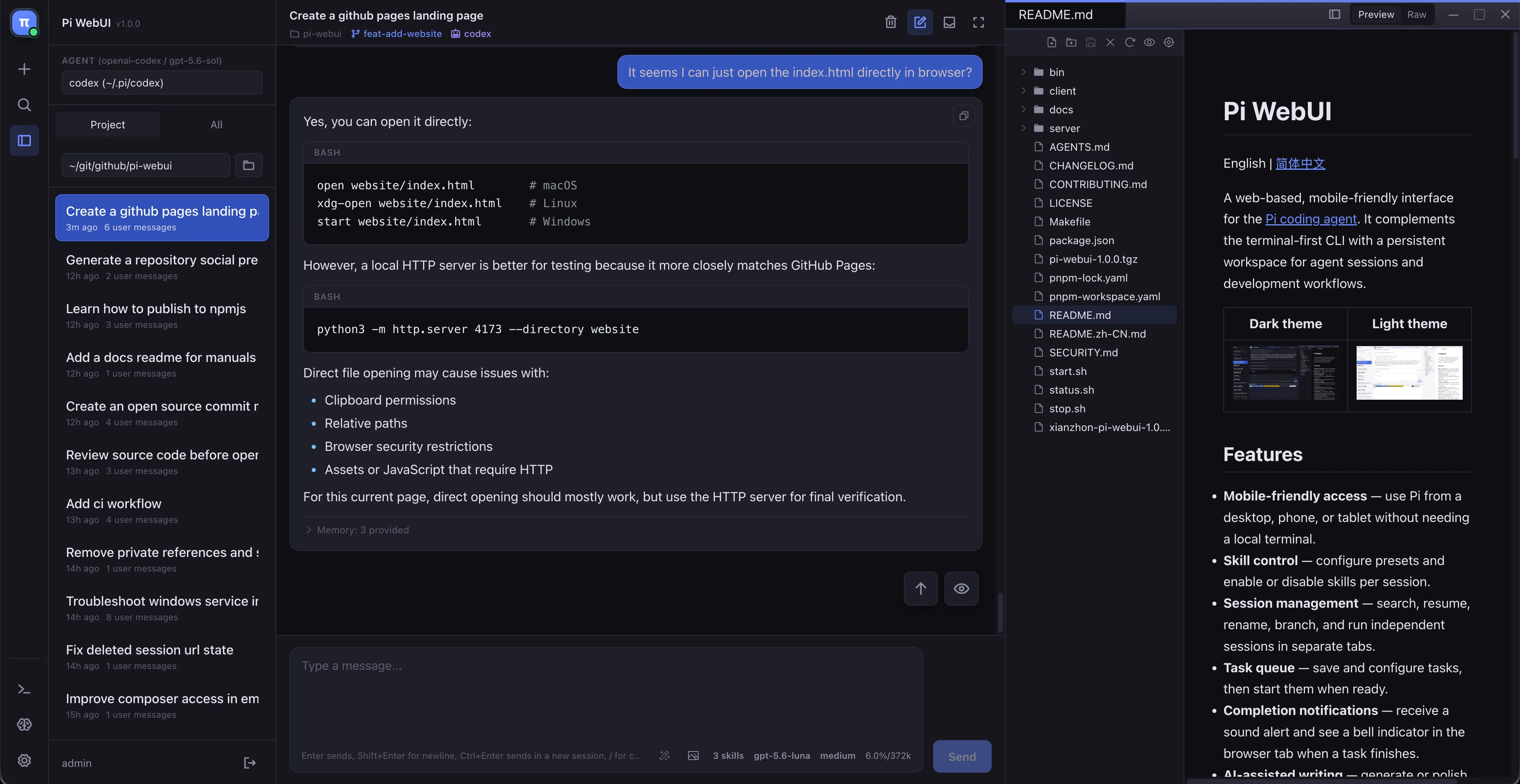
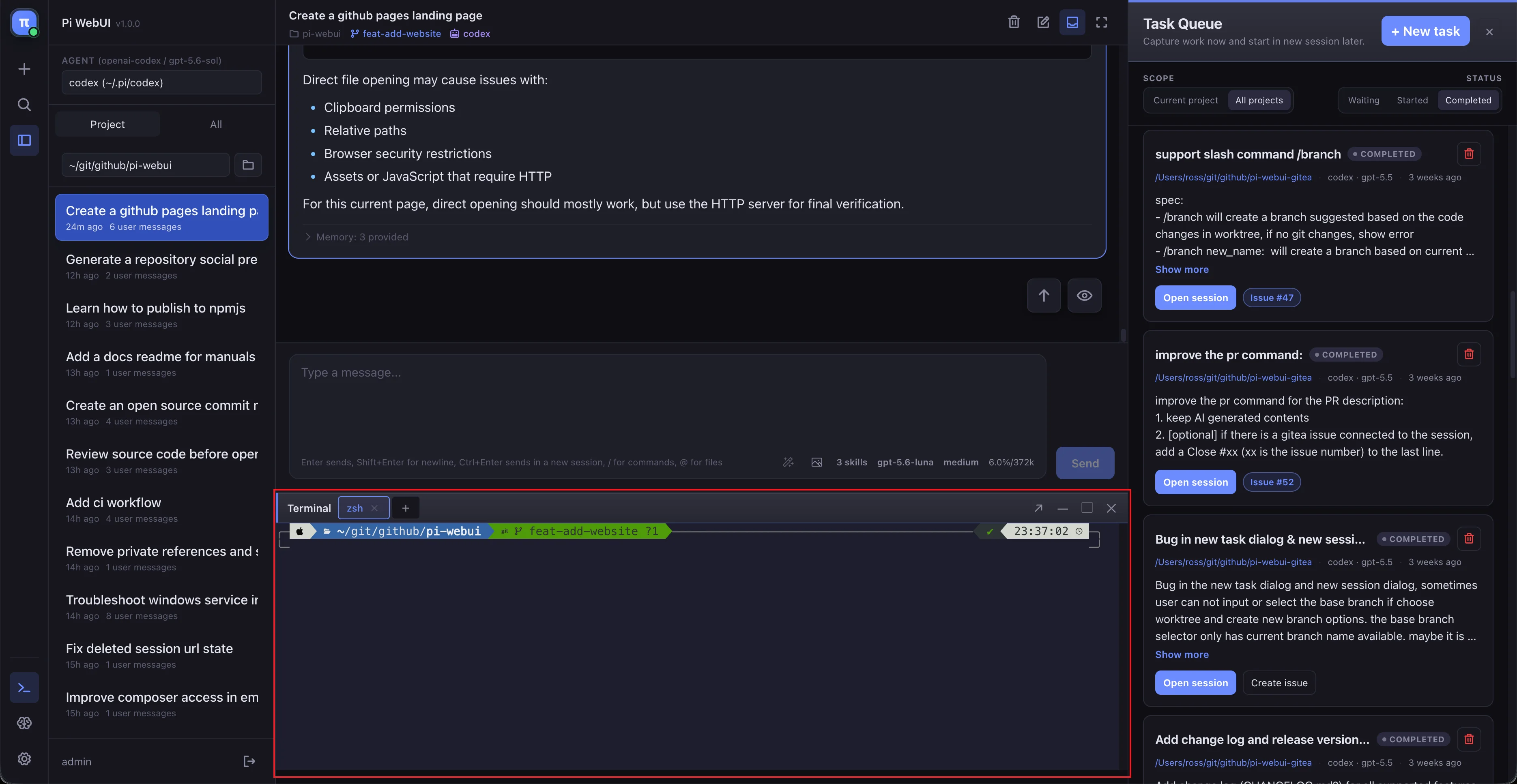
Everything in context
Browse sessions on the left, work through the conversation in the center, and inspect Markdown, images, or code in the lightweight editor on the right.
Open source · self-hosted · yours
Pi WebUI turns the Pi coding agent into a persistent, mobile-friendly workspace for conversations, code, terminals, tasks, memory, and Git workflows.
npm install -g @xianzhon/pi-webui
The complete feature guide
Pi WebUI keeps the agent conversation close to the files, tools, decisions, and follow-up work that make a project move.
Chat, editor, terminal, and project navigation in one view.
Resume work, create isolated worktrees, and shape agent context.
Capture the next idea before it disappears, then pick it up later.
Keep useful project and global context available across sessions.
Switch providers, models, keys, and proxies without losing your setup.
Configure the experience, integrations, access, and audit trail.
01 · Workspace
The three-panel workspace keeps project navigation, agent conversation, and the file you are working on within reach. Open a terminal alongside the chat, expand it when you need room, and keep the work grounded in the actual repository.
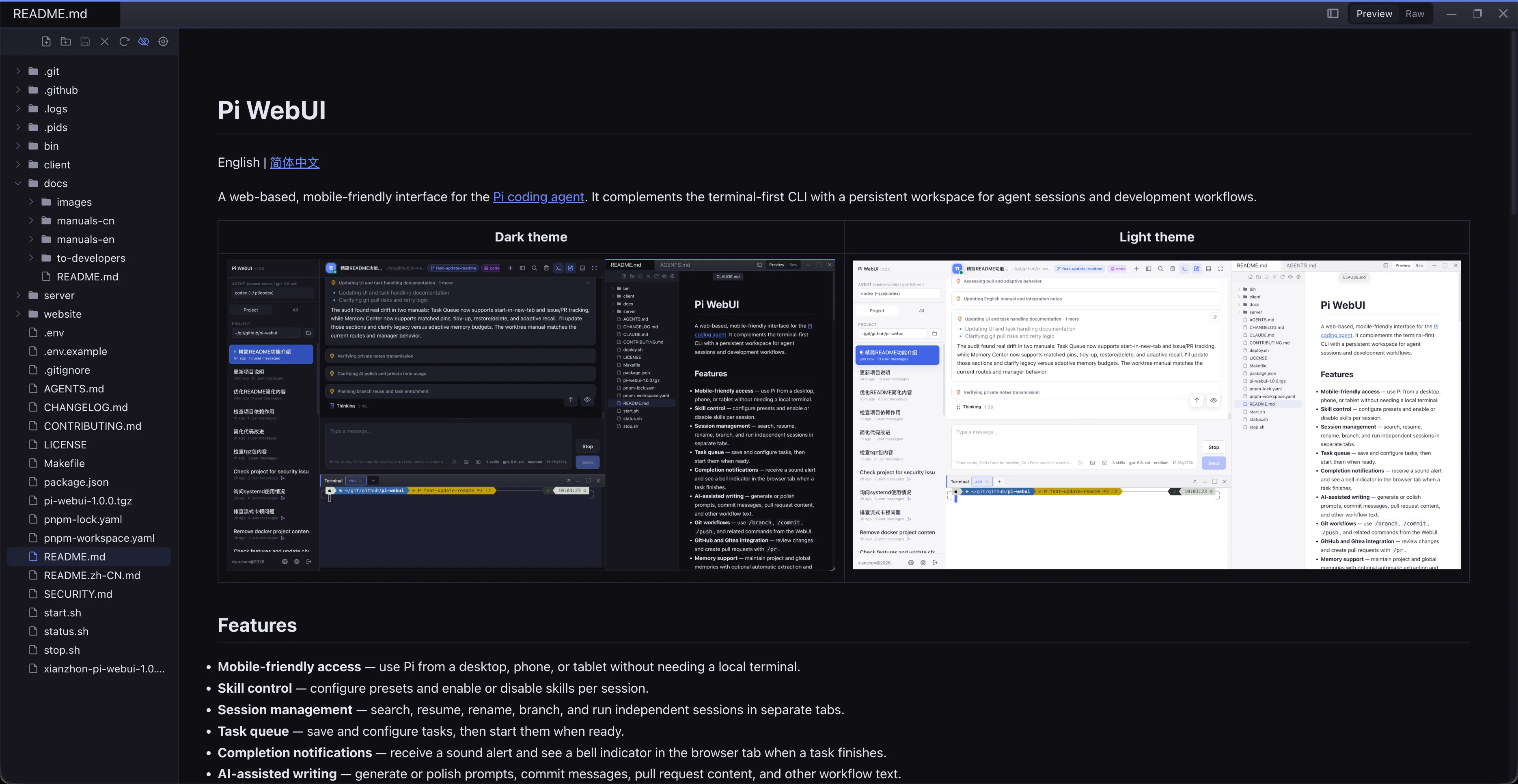
Browse sessions on the left, work through the conversation in the center, and inspect Markdown, images, or code in the lightweight editor on the right.
Use multiple terminal tabs, maximize the terminal for deep work, or keep it compact beside the agent.
02 · Sessions & agent control
Resume an old conversation, search across your history, or open a clean session in a worktree. Decide which skills Pi should see instead of letting a crowded toolset decide for you.
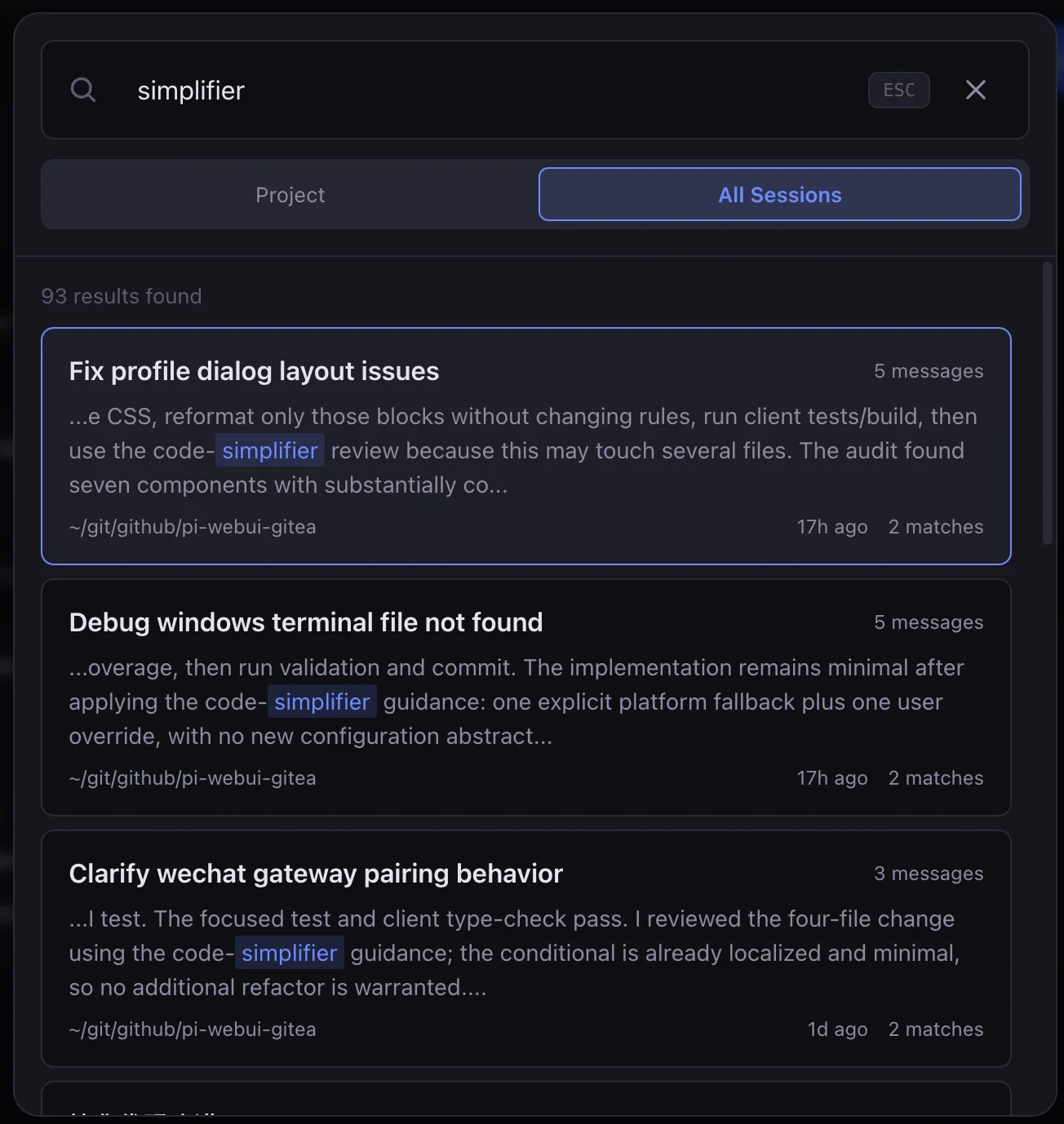
Search session history across projects, then continue from exactly where the conversation stopped.
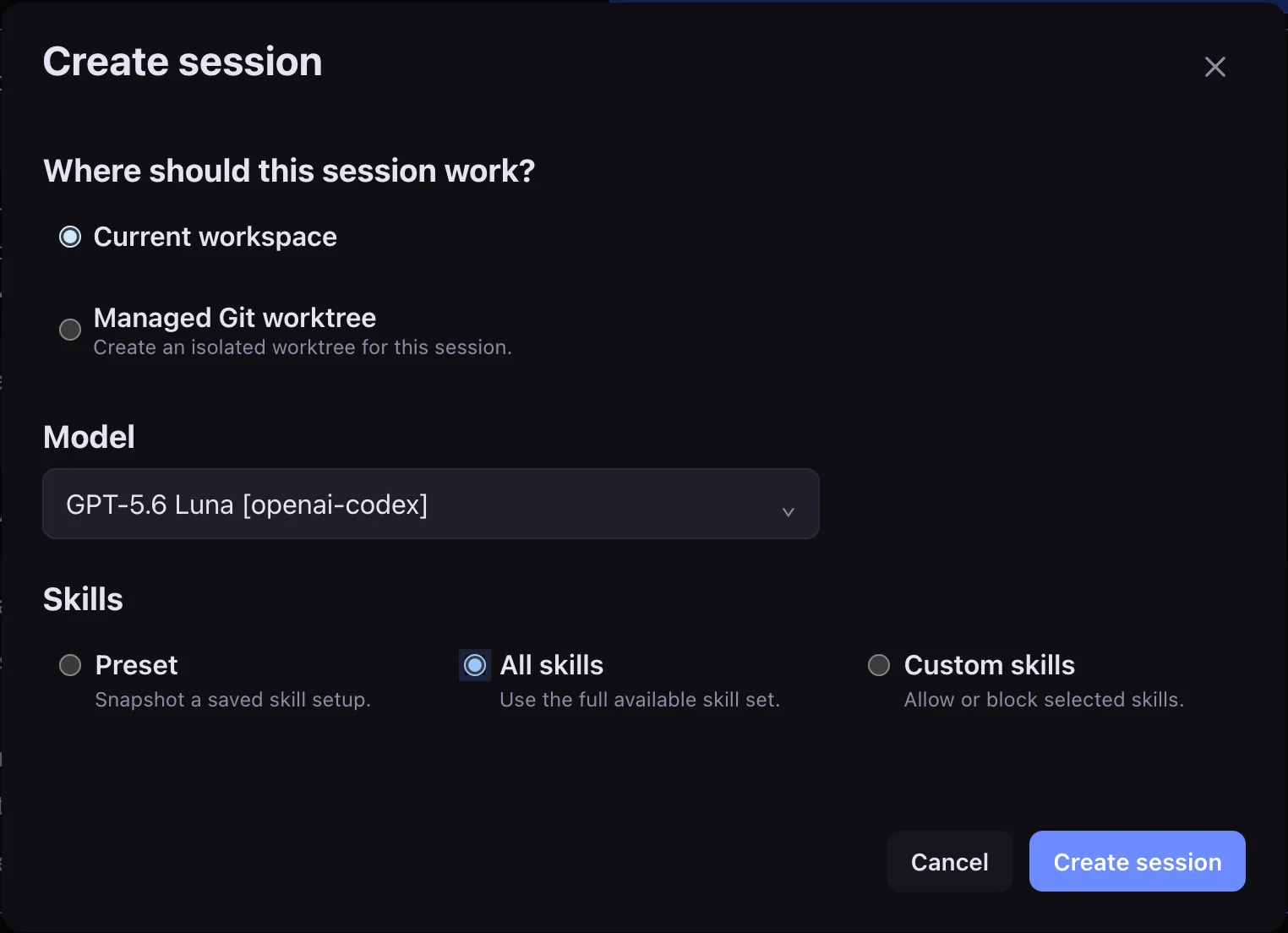
Begin in the current directory or select a managed workspace before the first prompt.
Create a worktree, choose its branch and base, and copy ignored files needed by the project.
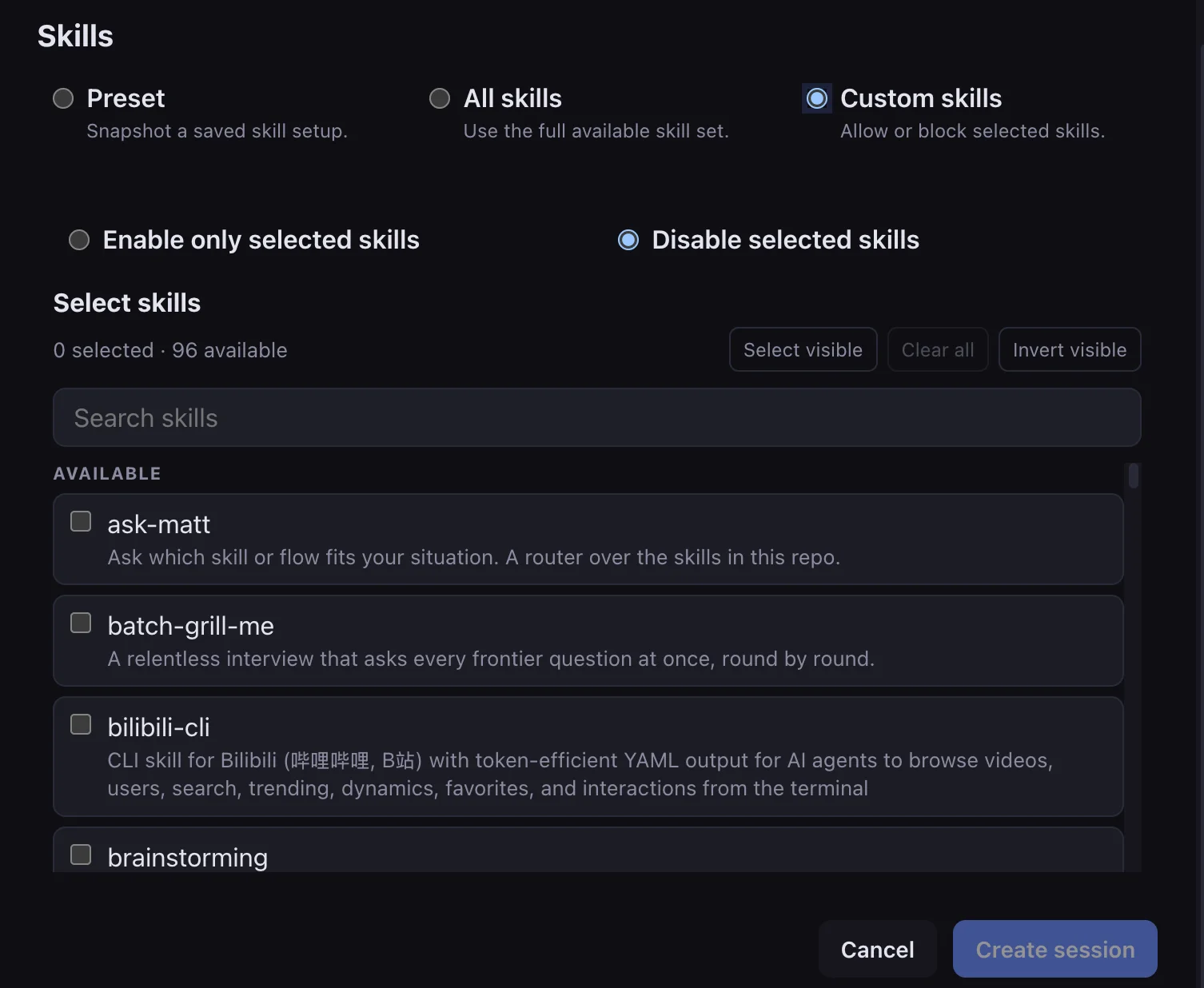
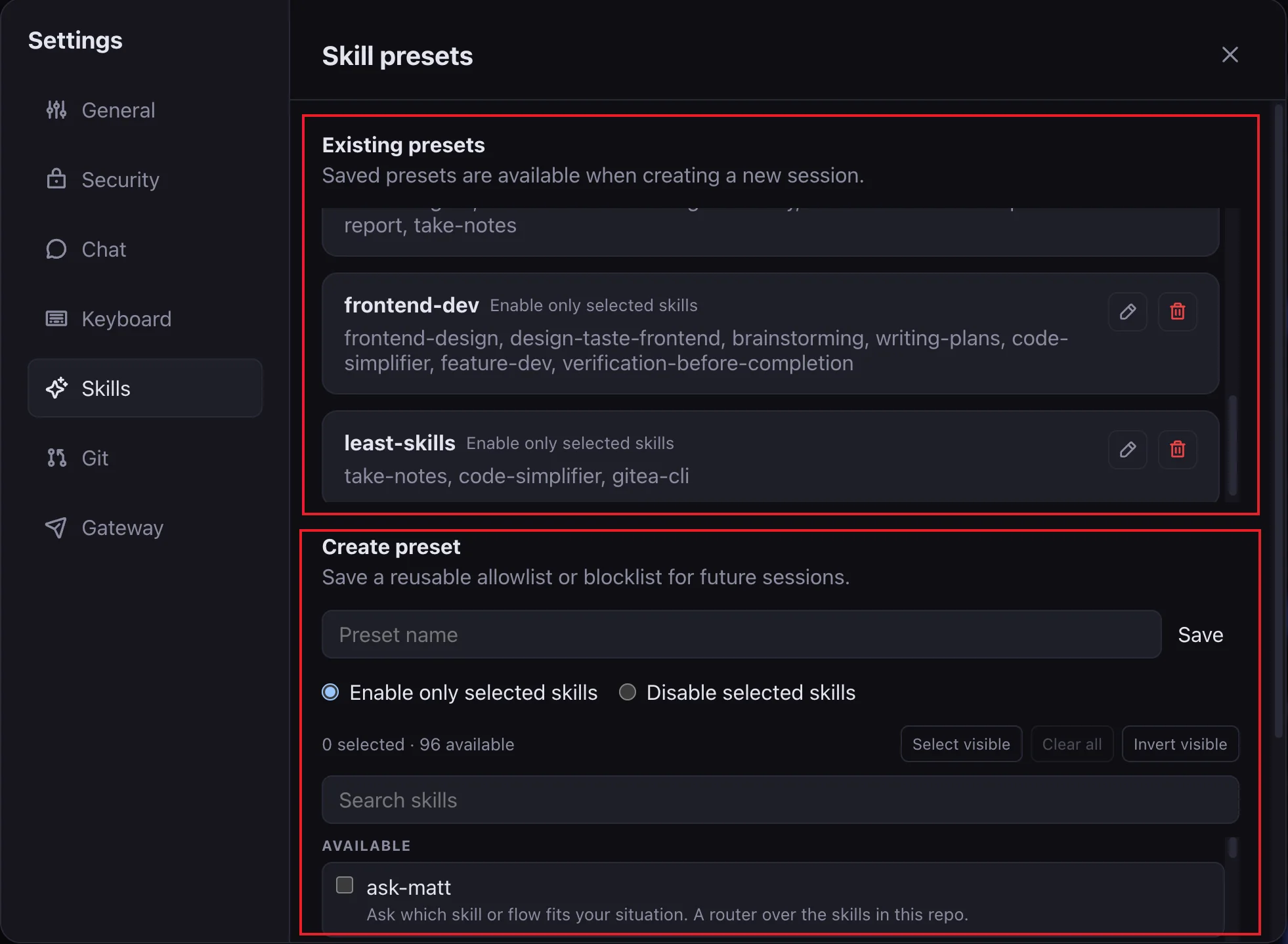
Use a focused preset or allow and disable individual skills to keep the agent's context clear.
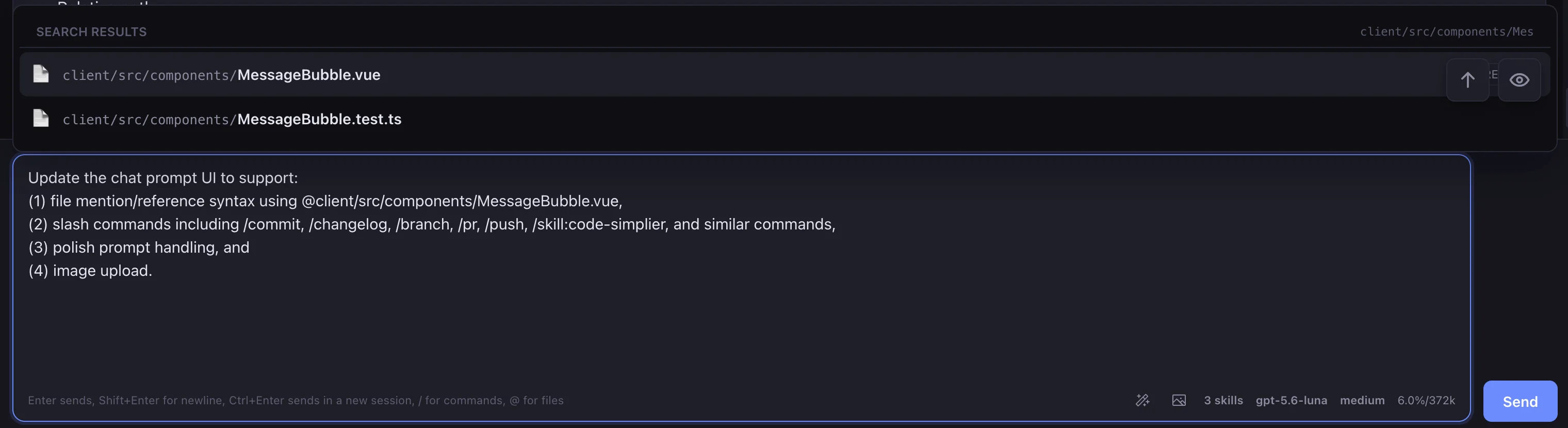
Reference files with @, use workflow commands, polish a prompt, or attach an image without leaving the conversation.
03 · Task queue
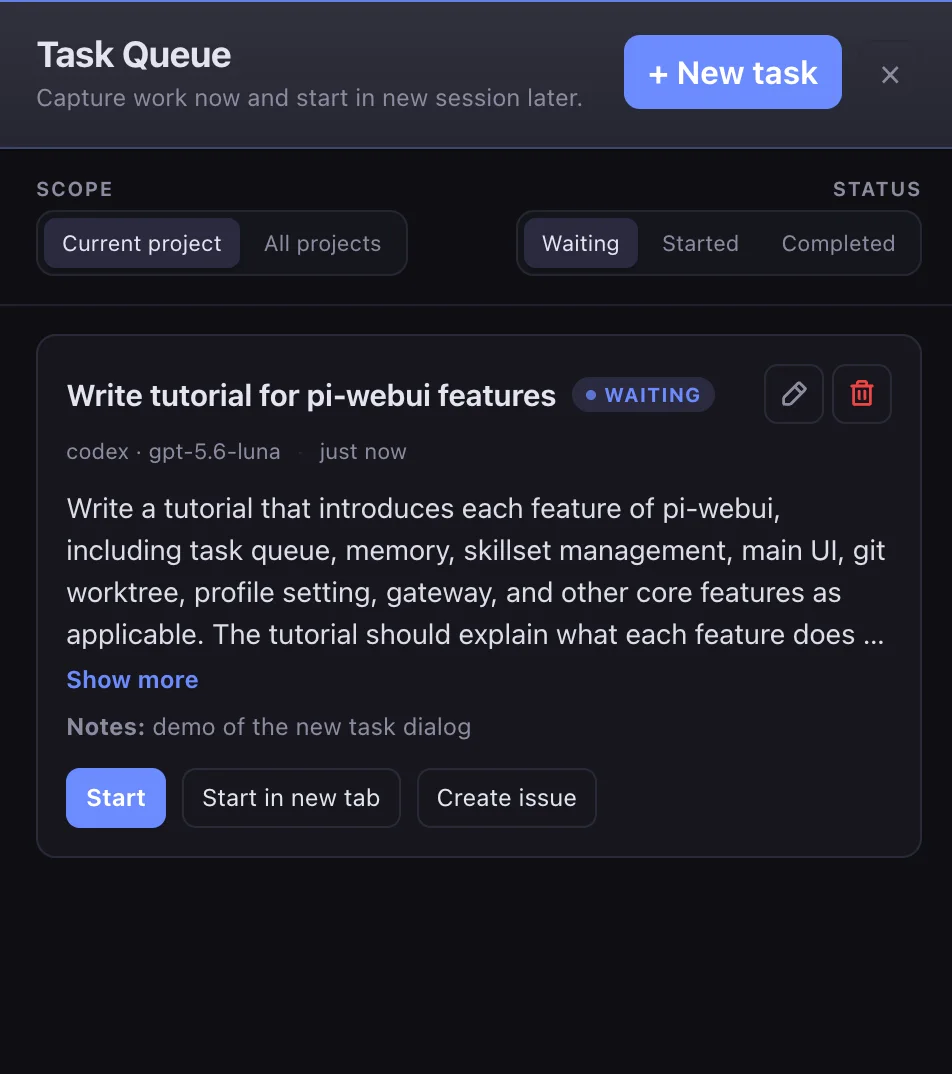
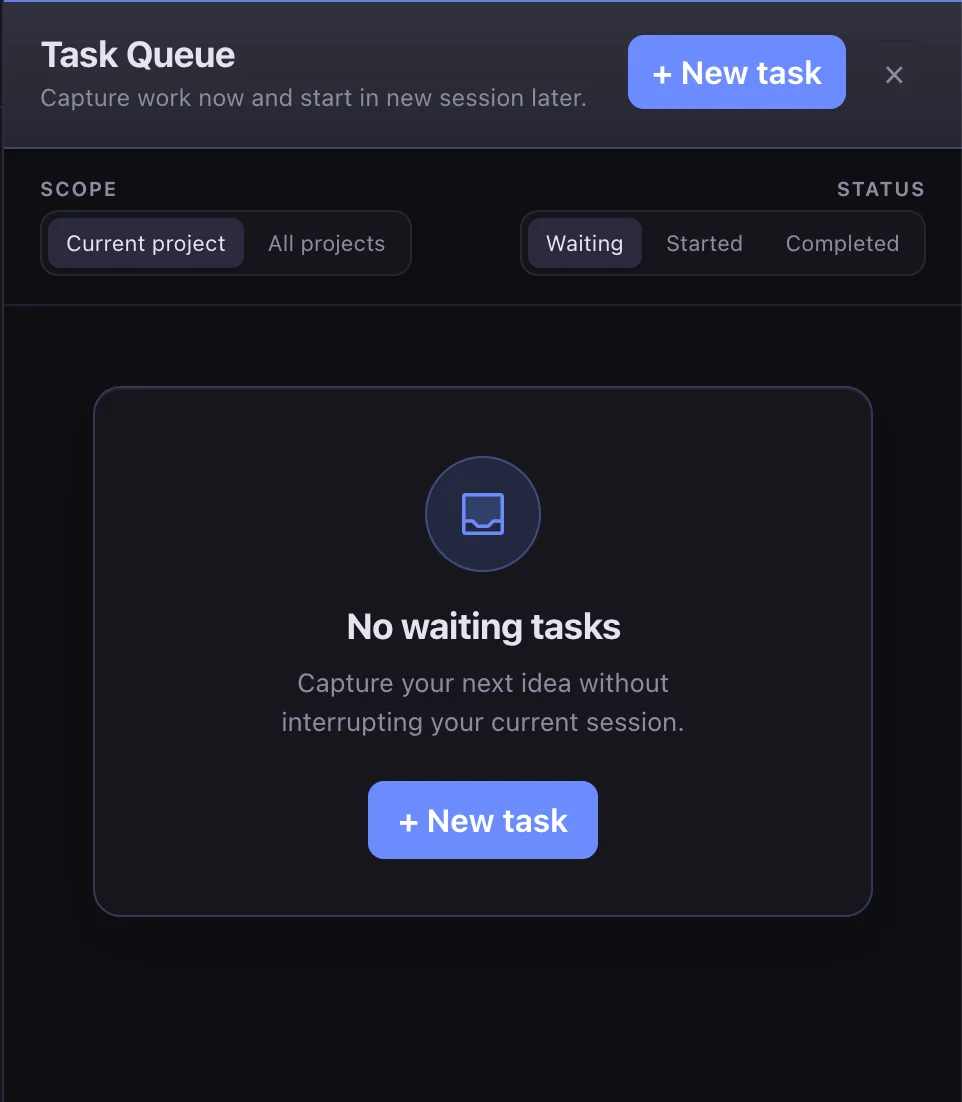
The task queue is for the useful thoughts that arrive in the middle of another task. Save a title and rough prompt now, let Pi polish it, and start it later in the current session or a new browser tab.
Keep planning notes and follow-up work close without turning the current conversation into a to-do list.
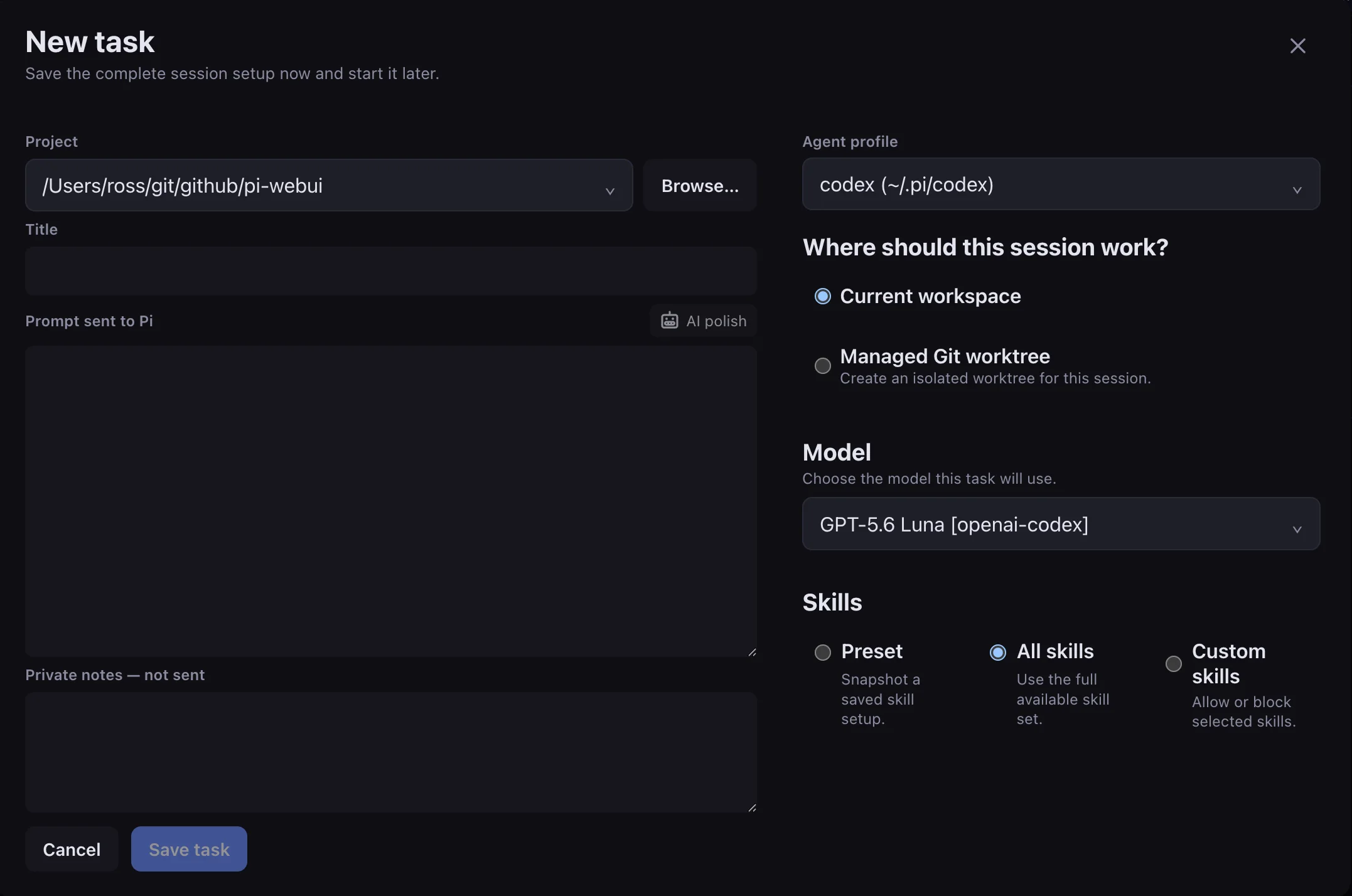
Start with a rough description and choose the project, model, skills, and session destination.
Use AI-assisted polishing to turn a quick note into an actionable task before you start it.
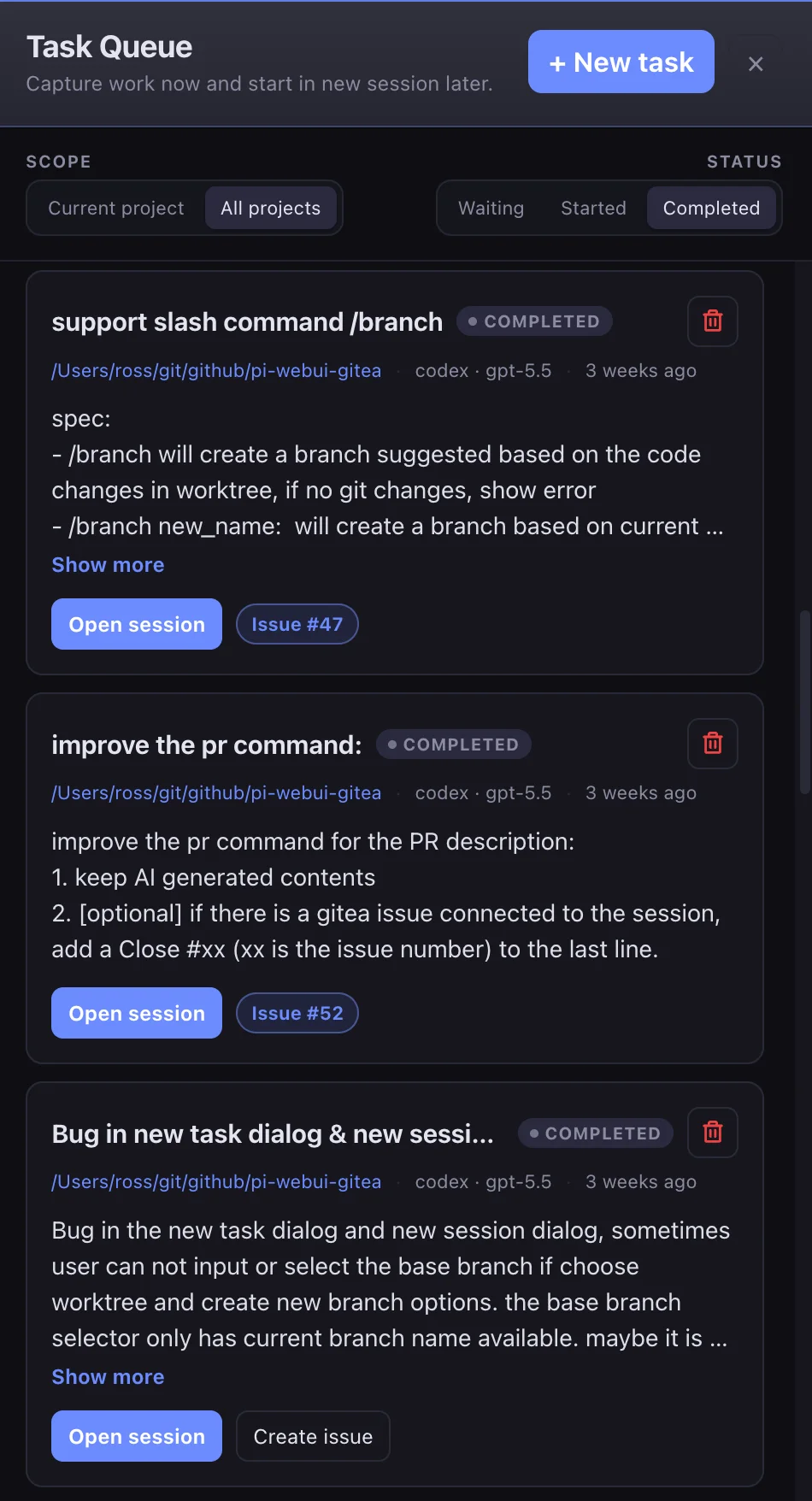
After a task is done, jump back to its session or open the linked GitHub or Gitea issue.
04 · Memory
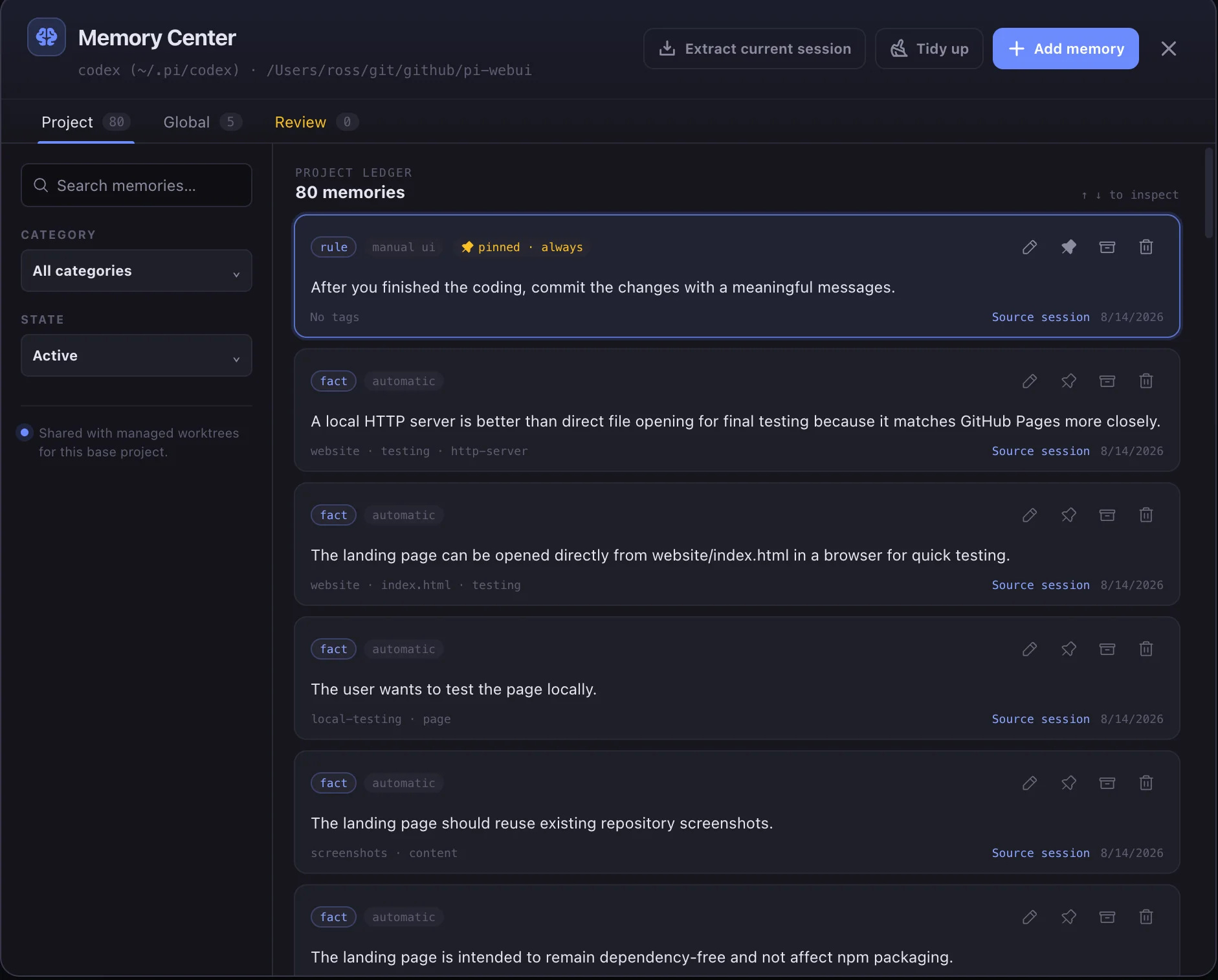
Memory gives Pi durable context beyond a single chat. Save project conventions and personal workflow preferences globally or per project, manually or through automatic extraction.
Store conventions, architecture decisions, and recurring project instructions where future sessions can recall them.
Keep durable preferences—such as how you like changes reviewed—available across your projects.
05 · Profiles & providers
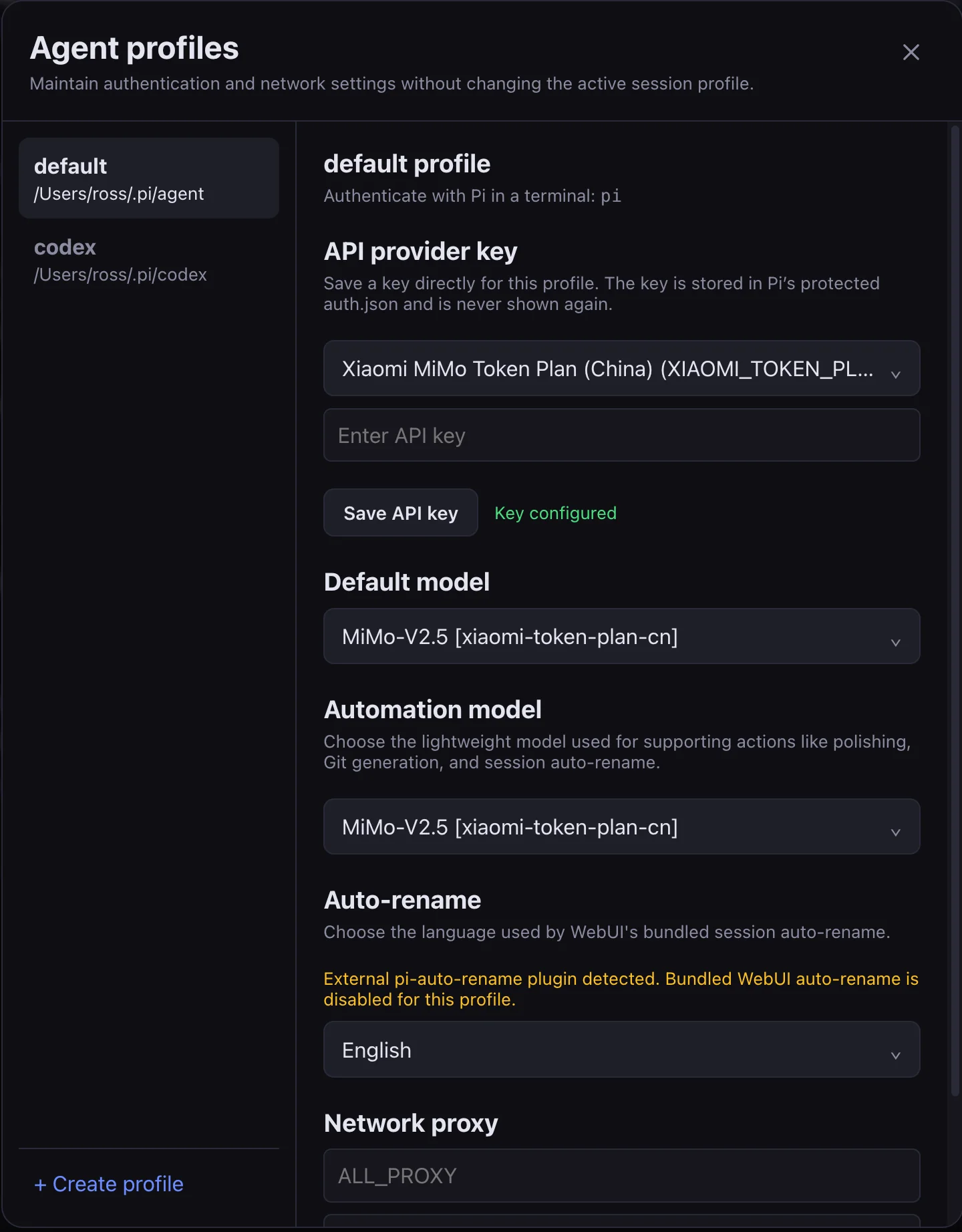
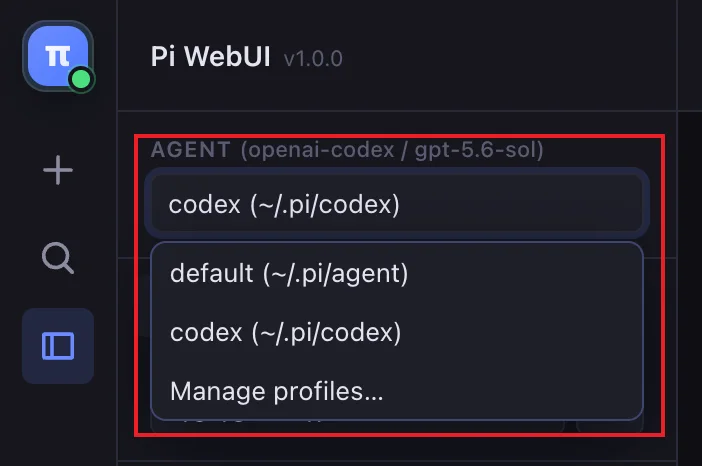
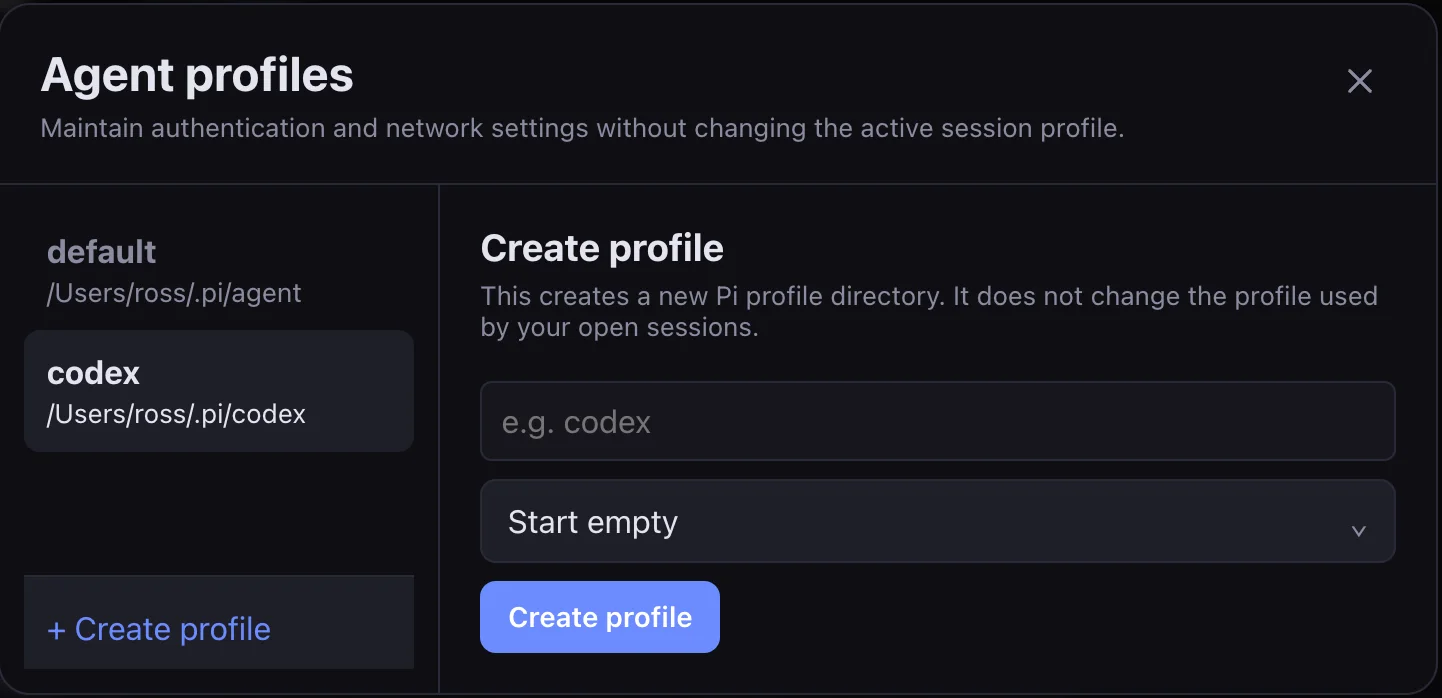
Profiles let you keep separate provider credentials, models, and network settings for different workflows. Use one for Pi, another for a different provider, or create a clean profile for a new experiment.
Keep provider-specific environments separated and change profiles without mixing their session histories.
Set provider API keys and a profile-wide proxy in one focused settings view.
Create from scratch or copy configuration while leaving old session history behind.
06 · Editor & files
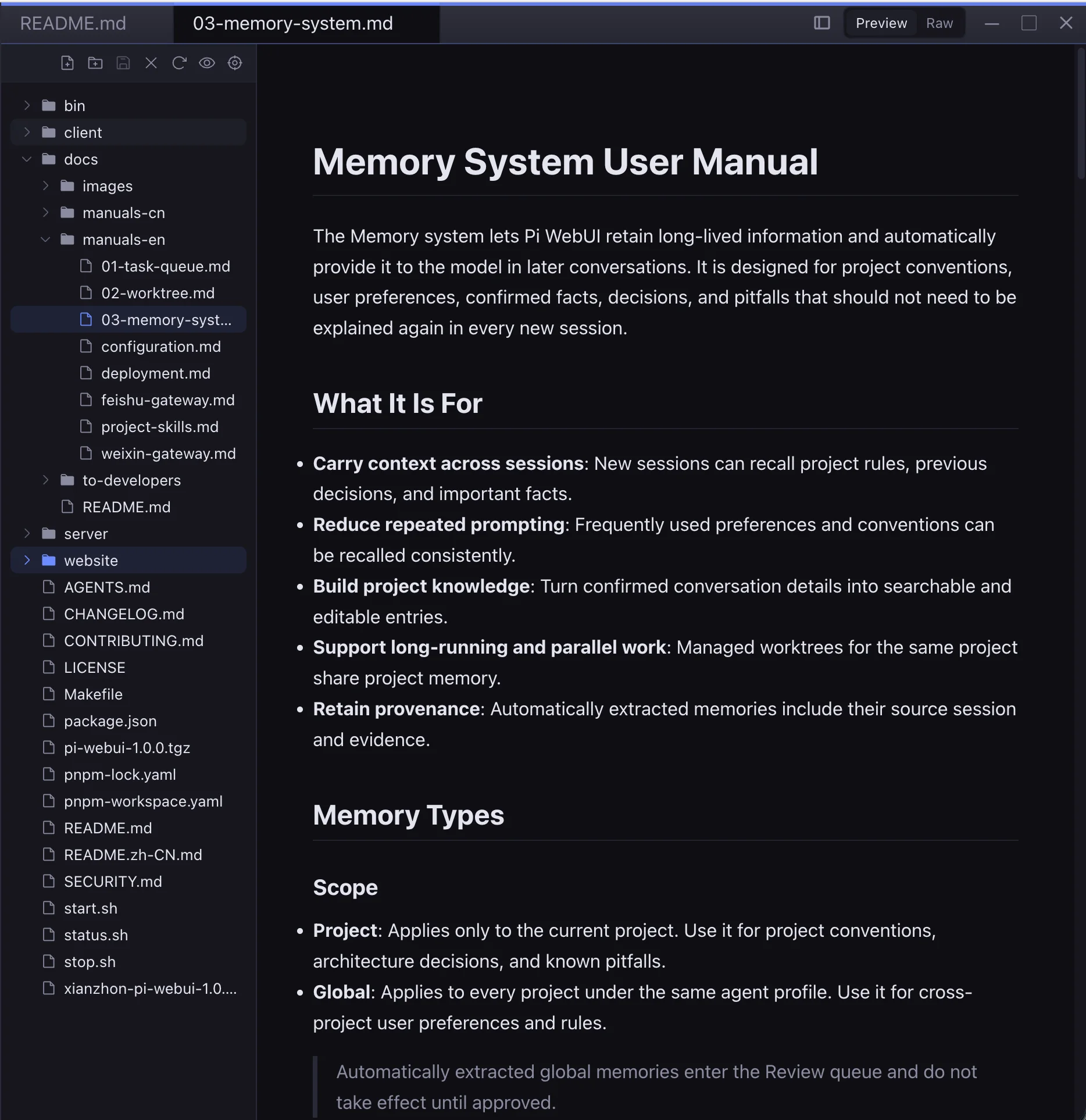
The editor makes the agent's work tangible. Open a referenced file, preview Markdown or an image, inspect a diff, and maximize the editor when the code deserves your full attention.
Use Markdown and image previews to review content without opening another application.
Maximize the editor for a focused review, then return to the full workspace when you are ready.
07 · Settings & integrations
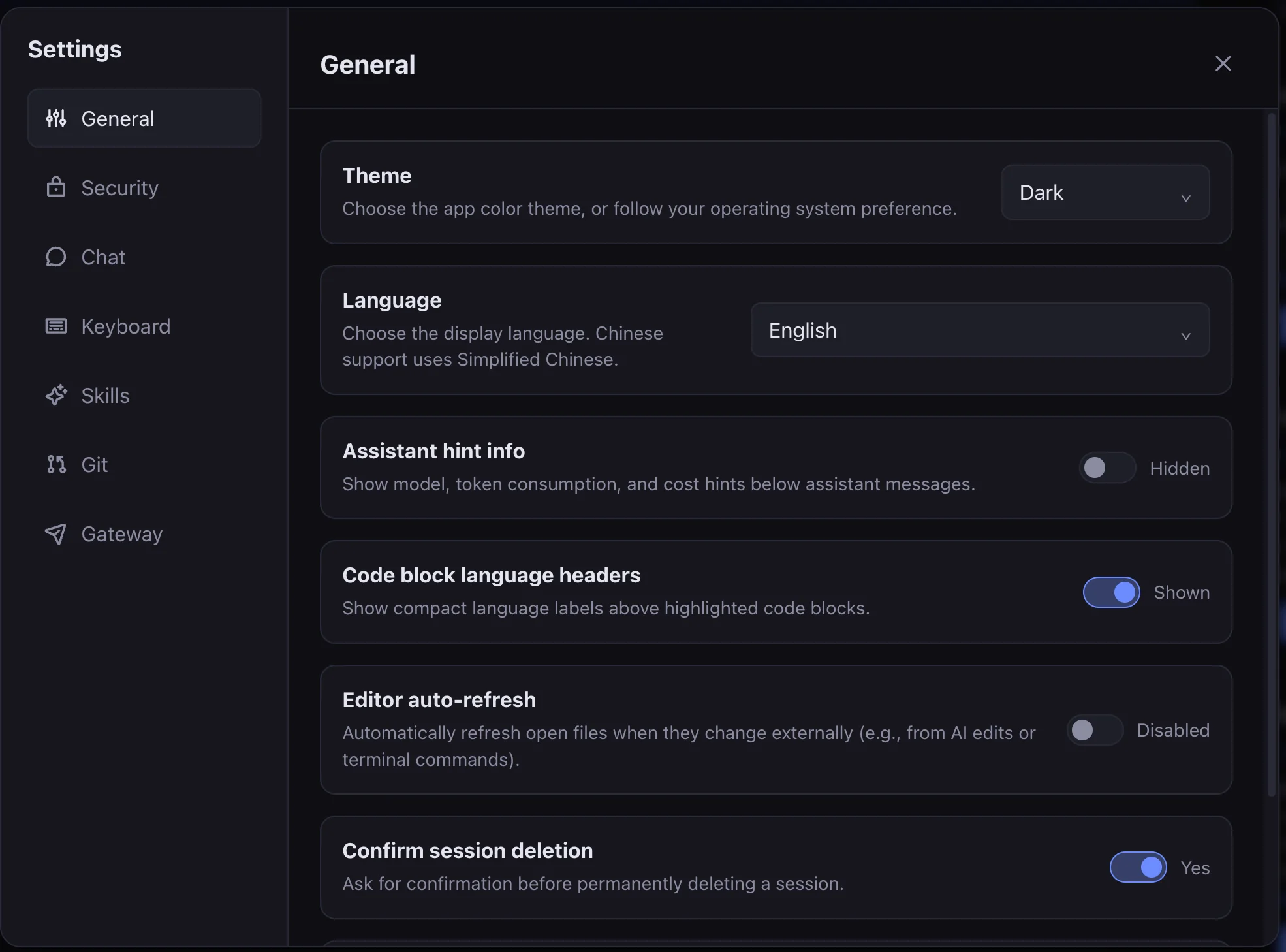
Pi WebUI keeps the important controls close but out of the way. Tune behavior, shortcuts, skills, Git integrations, gateways, and security from one settings dialog.
Set the everyday defaults that make the workspace fit your habits.
Protect access with 2FA and review the audit log when you need an operational trail.
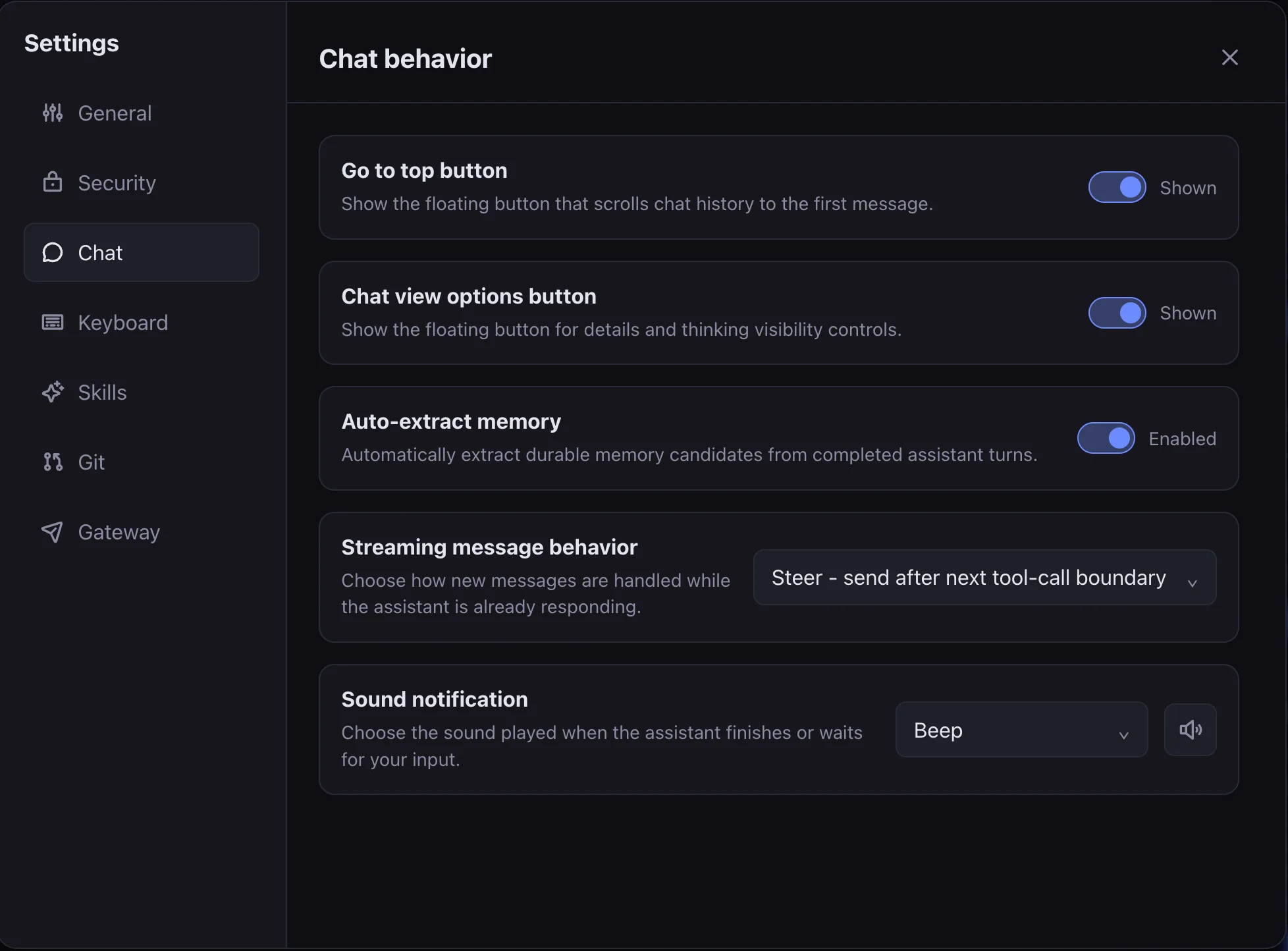
Adjust chat behavior, notifications, and streaming preferences to suit your workflow.
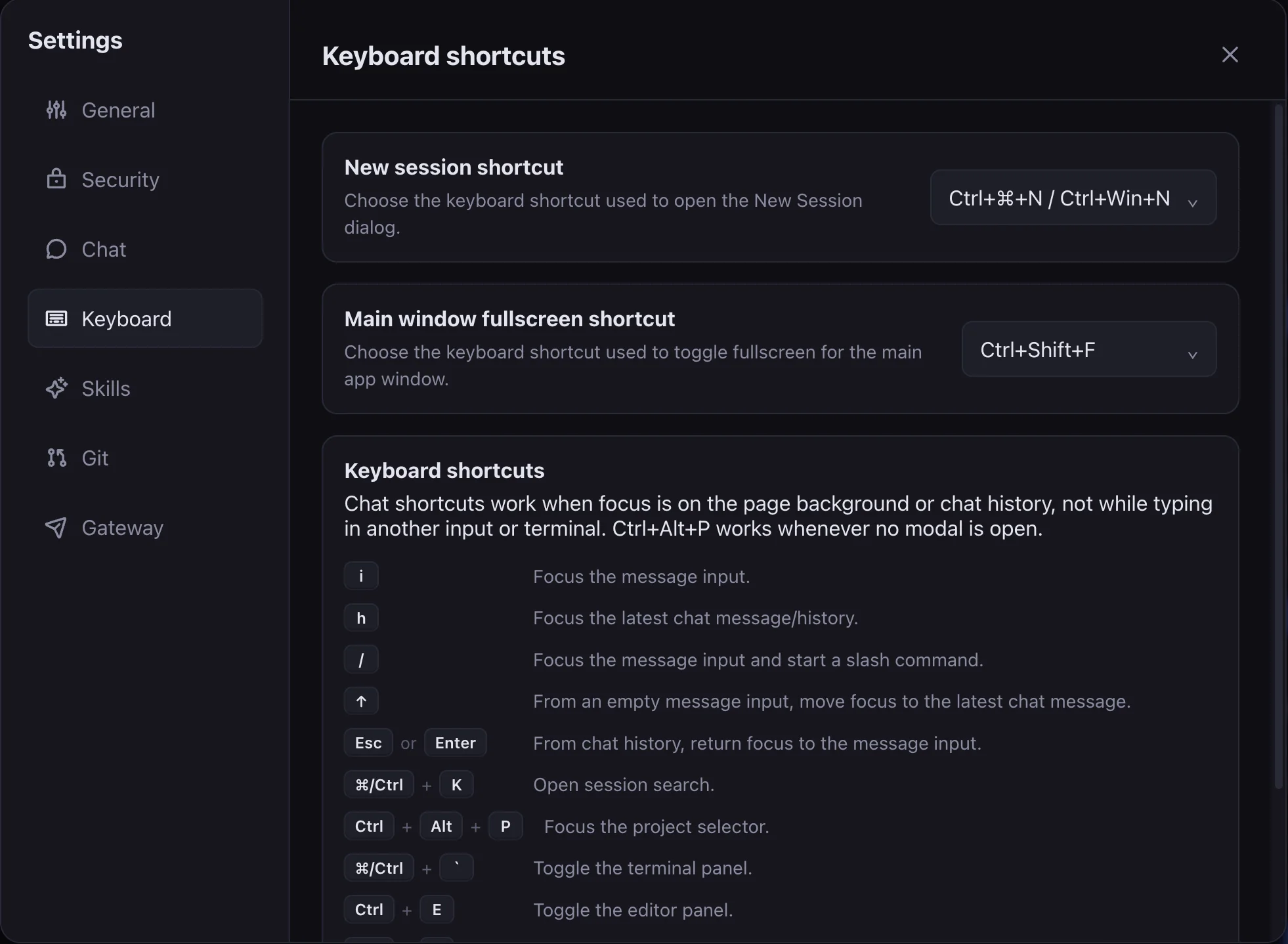
Review the shortcuts that make session navigation and editing faster.
Keep a small, intentional skill set for simple work and make richer presets when a project needs them.
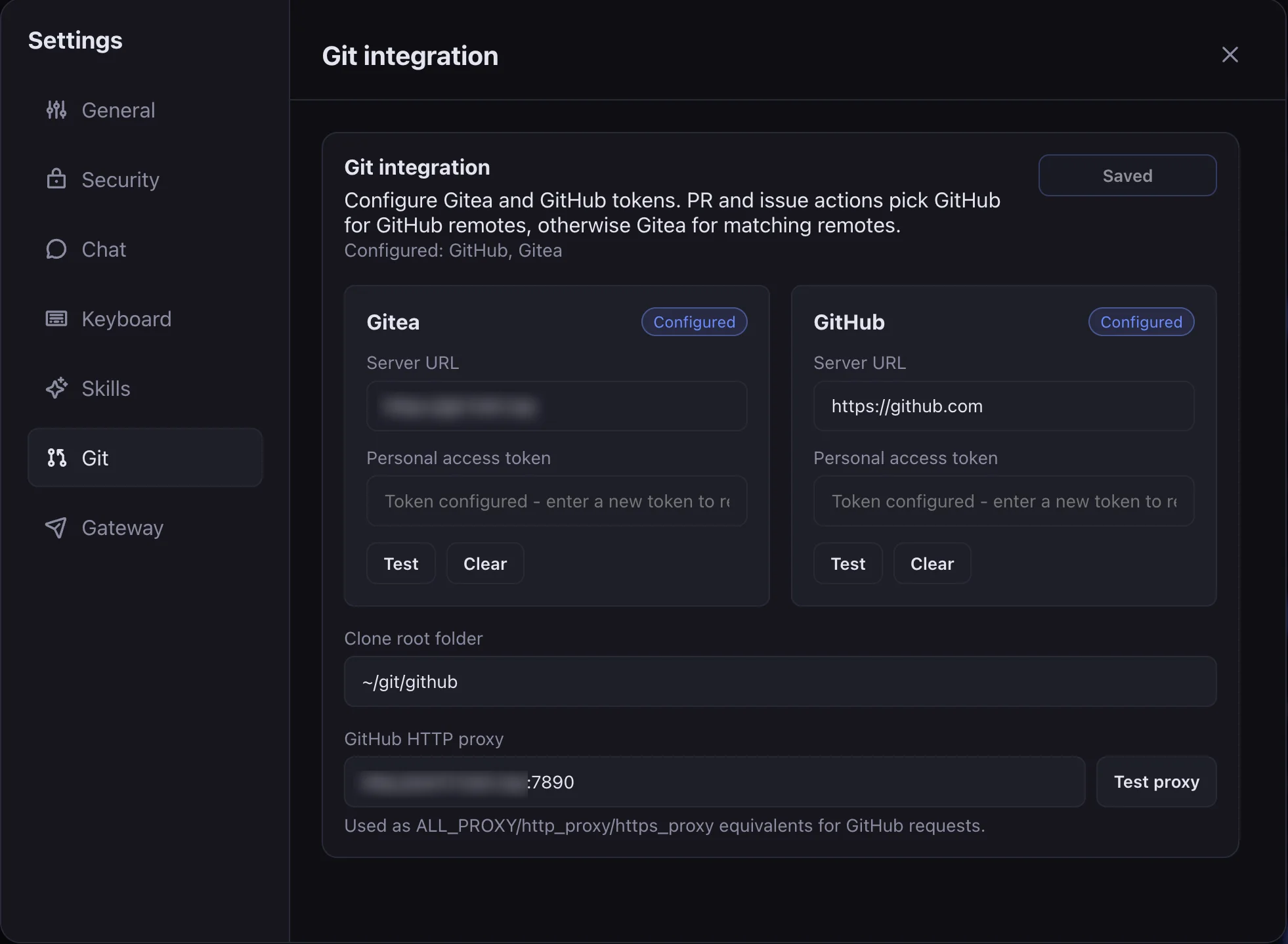
Configure GitHub or Gitea so issue and pull-request workflows can stay close to the agent.
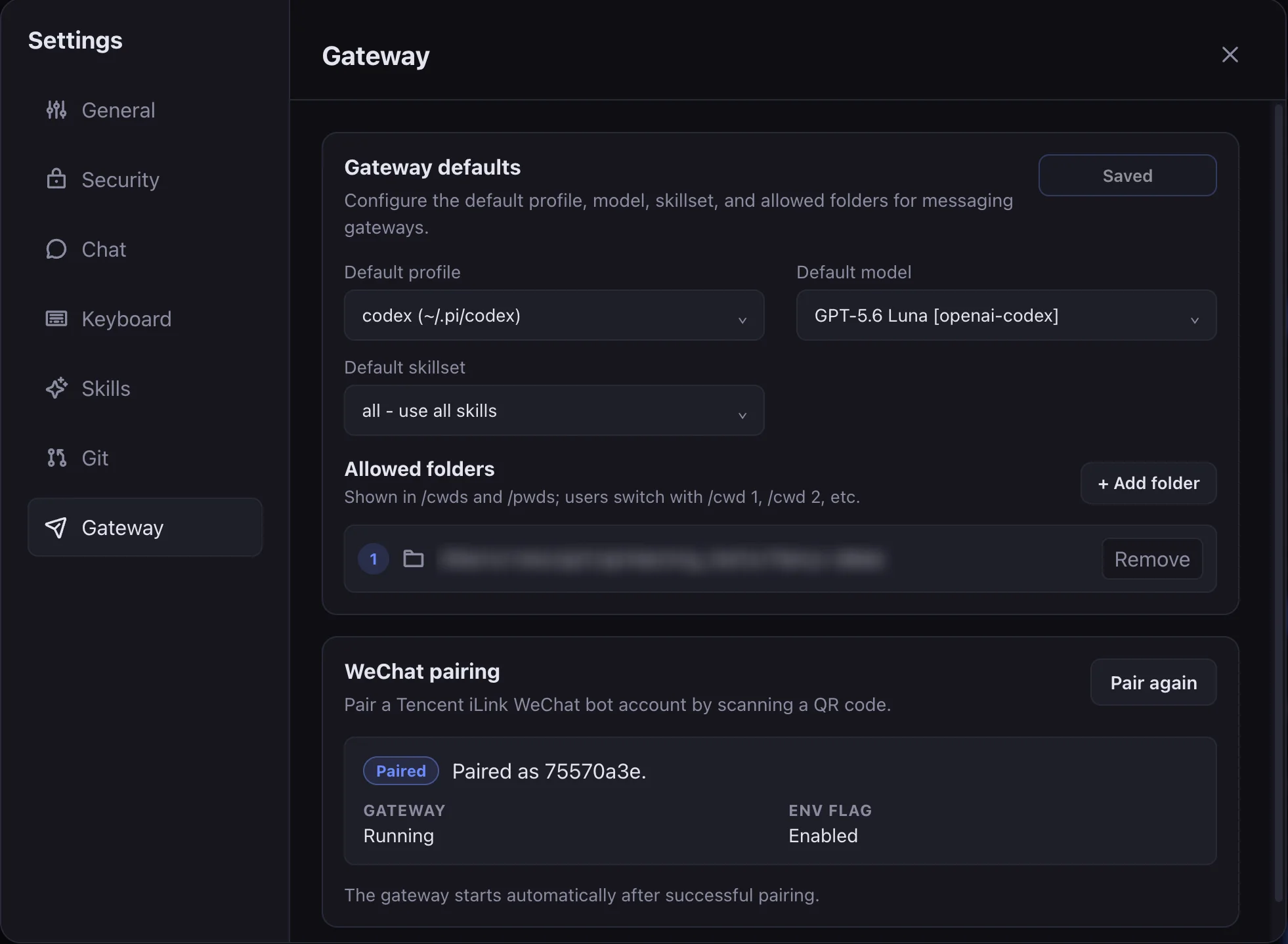
Set up supported messaging gateways for a focused remote workflow.
Start building
Install it on your own machine, configure your credentials, and keep your agent workflow close to the projects you care about.